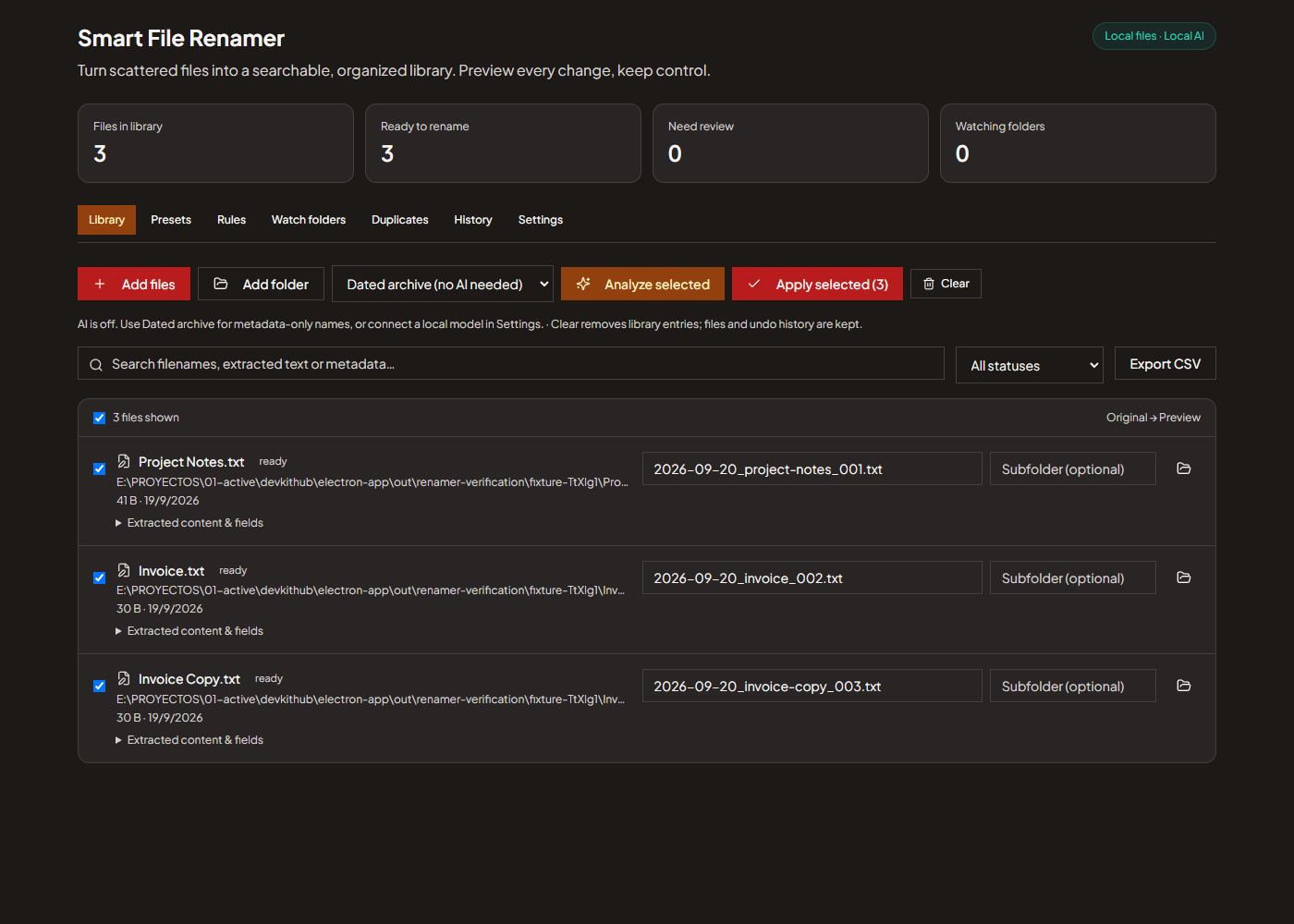
Rename and organize files with local AI, editable previews, naming presets, folder rules, scanned PDF analysis and reversible history in the DevKitHub desktop app.
Editable batch previews with original file extensions preserved
Reusable filename templates, custom AI fields and text cleanup
Local Ollama and LM Studio compatible servers
PDF text extraction and vision-based analysis of images and scanned PDFs
Office, OpenDocument, EPUB and common text file extraction
Ordered folder rules based on extension, filename, content or extracted fields
Persistent watch folders with review and automatic modes
Search filenames, extracted text and metadata
Find exact duplicates using file sizes and SHA-256 hashes
Durable rename history, collision protection and undo
Metadata naming without an AI server
Export extracted fields and rename history as CSV
FAQ
Smart File Renamer connects only to HTTP endpoints on localhost, 127.0.0.1 or ::1. Metadata mode needs no AI service. In AI mode, extracted text and rendered images are sent to your configured local server. Manage the server and its model downloads separately.
Only for content-based AI names. Install and run Ollama or LM Studio, load a model, save its local server URL and test the connection in Settings. Images and scanned PDFs require a model that accepts images. Dated archive and custom metadata templates work without AI.
Yes. Analyze creates a preview. Edit the filename or destination subfolder, select the files and confirm the change. Review is also the default for watched folders. Existing destinations are never overwritten.
Missing template fields appear as unknown and require review. Low-confidence AI output and partial extraction also require review, even when automatic mode is enabled for a watched folder.
Content analysis supports files up to 40 MB and 24,000 characters. PDF extraction covers up to 10 pages and vision up to 3 scanned pages. Spreadsheets are limited to 5 sheets and 200 rows per sheet. Partial extraction is flagged for review. The library holds up to 1,000 files.
Yes, while the renamed file remains unchanged and its original path is available. History persists after restarting DevKitHub. Undo verifies content hashes and refuses to replace another file.
Monitoring runs while DevKitHub is running, including when it remains in the system tray. Fully quitting the app stops monitoring. A watch checks for stable new or changed files every 5 seconds and preserves its configuration across restarts.
No. It groups exact duplicates and lets you reveal them in their folders for review. It does not classify visually similar images as exact copies.
No. This is DevKitHub's independently implemented file renaming tool, inspired by content-based organization workflows. It does not include NameQuick accounts, subscriptions, managed AI, inbox integration, Finder tags or visual similarity matching.
Ready to use Smart File Renamer?
Download DevKitHub and get access to 75+ tools. Free, private, offline.