Changelog
New updates and improvements to DevKitHub.
v1.8.0 (2026-09-13)
🎉 New Tool
- Clipboard History — Search, organize, edit, and restore copied text, links, code, images, and file paths without leaving DevKitHub.
⚡ Quick Access
- Added a dedicated clipboard window with keyboard navigation and the global
CommandOrControl+Shift+Hshortcut. - Added recent clipboard items, monitoring controls, and full-history access to the system tray menu.
- Clipboard entries can be pinned, tagged, grouped into collections, assigned an expiration, or opened directly in a recommended DevKitHub tool.
🔒 Privacy & Control
- Clipboard history stays on the device and uses Electron's OS-backed
safeStorageencryption when available. - Added configurable retention, item-count and storage-size limits, plus detection and short-lived retention for content marked as secret by password managers.
- Added content rules to ignore matching clipboard entries or automatically expire them after a custom interval.
🔧 Improvements
- Added clipboard-history IPC contracts, background monitoring, deduplication, persistence, and automated coverage for content rules and the new interface.
v1.7.0 (2026-06-20)
🎉 New Tools
- Bad vs Good Code — Create stunning visual code comparisons with neon glow effects, annotations, and one-click PNG/WebP export for social media.
- Kanban Board — Full-featured Trello-style task board with drag-and-drop cards and columns, inline editing, checklists, and persistence.
- Port Kill — Scan all open ports on your machine, identify processes, and terminate them with a single click. Real-time refresh, search, and sort.
- Voice Transcription — Transcribe speech to text directly in the app using the Web Speech API.
- World Clock — Track multiple timezones with live clocks, search by city, and compare time differences.
- Pomodoro Timer — Focus timer with configurable work/break intervals and session tracking.
- BMI Calculator — Quick body mass index calculator with metric and imperial units.
- Stopwatch — Precision stopwatch with lap times.
- INI Parser — Parse and validate INI configuration files.
- TOML Parser — Parse and format TOML configuration files.
- Text Statistics Analyzer — Deep character/word/sentence analysis with readability scores.
- Unit Converter — Convert between hundreds of units across length, weight, temperature, volume, and more.
🆓 DevKitHub is now FREE
- Removed all license requirements. All 75+ tools are completely free to use — no signup, no paywall, no limits.
🎨 New Default Theme: Elegant Luxury
- Beautiful warm palette with deep reds, golds, and refined typography (Poppins + Libre Baskerville + IBM Plex Mono).
- Fully supports dark mode with rich, eye-friendly contrast.
🔧 Improvements
- Redesigned Unix Time Converter with improved UTC/local toggle, timezone picker, and relative time display.
- Fixed Text Diff Checker layout (overlapping panels, broken scrolling).
- Standardized all button and input element sizes across Encode & Decode Tools.
- Discord Timestamp Generator freed from constrained max-width.
- All scrollable configuration panels now use Shadcn ScrollArea for consistent behavior.
- REST API Tester: fixed network errors with sample URLs, added sample button.
- IPv4/IPv6 Validator: added sample button.
- Lorem Ipsum Generator: fixed copy button.
- Random String Generator: fixed missing import.
- JWT Builder: fixed button sizing.
- HTML Entity Encoder/Decoder: editor areas now fill full vertical space.
- Persistent search query on the main tools page.
- Bad vs Good Code: equal-height code blocks, word wrap (no horizontal scroll), TypeScript sample by default.
v1.6.2 (2026-02-19)
- Improved auth security in Electron app.
v1.6.1 (2025-12-07)
- Fixed a bug in the Encode & Decode Tools utility.
v1.6.0 (2025-11-13)
🎉 New Features
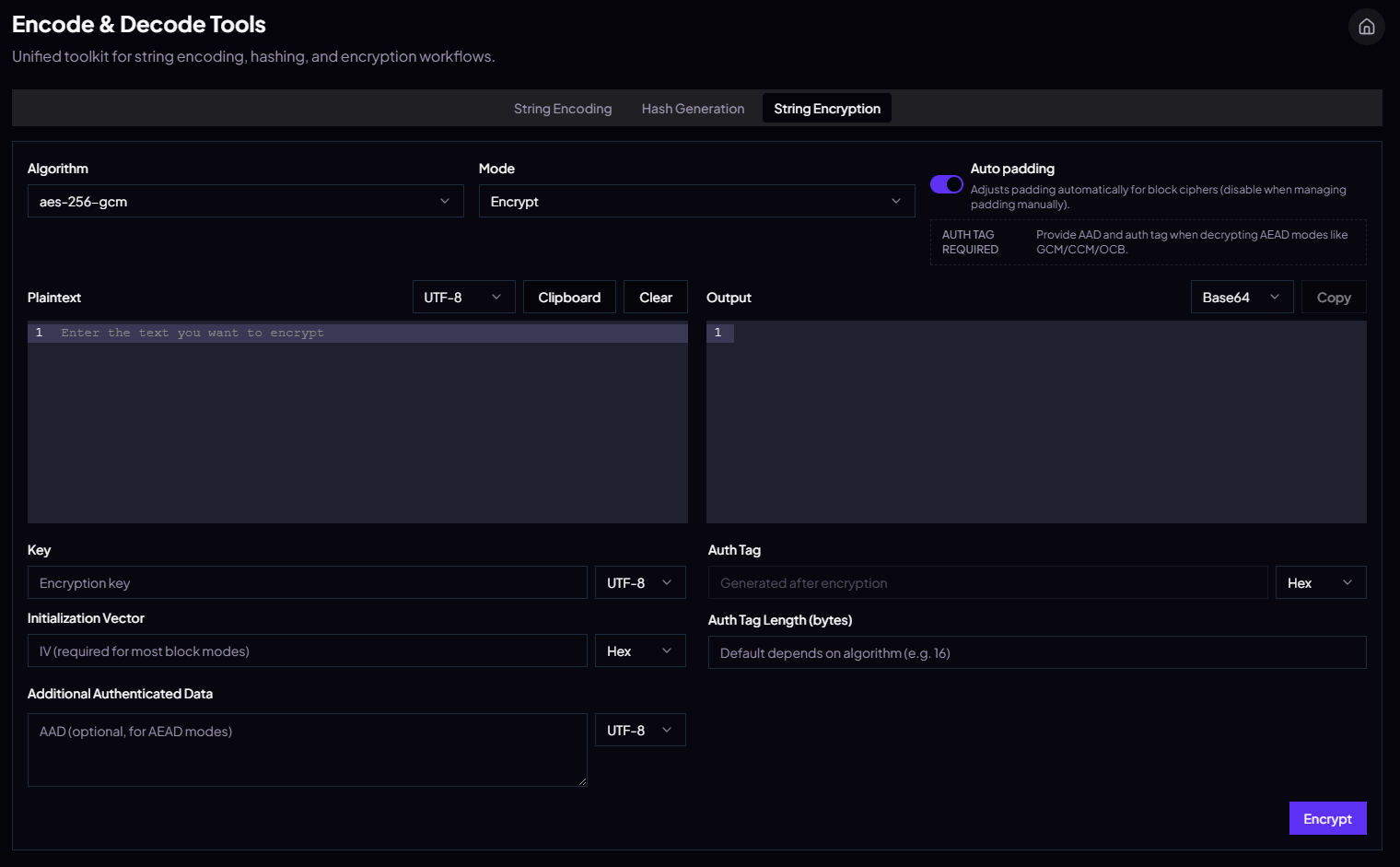
- Introduced the unified Encode & Decode Tools hub combining string encoding, hash generation, and encryption in one workspace. (Hash Generator Absorbed to Encode & Decode Tools).
- Added fresh string codecs: Base64 URL-safe, Base32, ROT13, and ASCII85 (Base85) alongside the existing utilities.
- Expanded hash support with Keccak-224/256/384/512, SHAKE128/256, CRC-64, and more non-cryptographic variants, all wired through the preload bridge.
- Encryption suite now exposes the full set of runtime-supported ciphers with async preload helpers for encrypt/decrypt and cipher discovery.
🔧 Improvements
- Streamlined the encryption UI: contextual auto-padding toggle, AEAD guidance, consistent copy buttons, and cleaner spacing between form controls.
- Hash generation panel now lists only algorithms available on the current platform, removing unsupported noise.
- String encoding output adopts the same action button styling as clipboard/sample/clear for a cohesive look.
- TypeScript target bumped to ES2020 (plus local typings for punycode/) so BigInt-heavy hash logic compiles without workarounds.
v1.5.0 (2025-09-28)
🎉 New Features
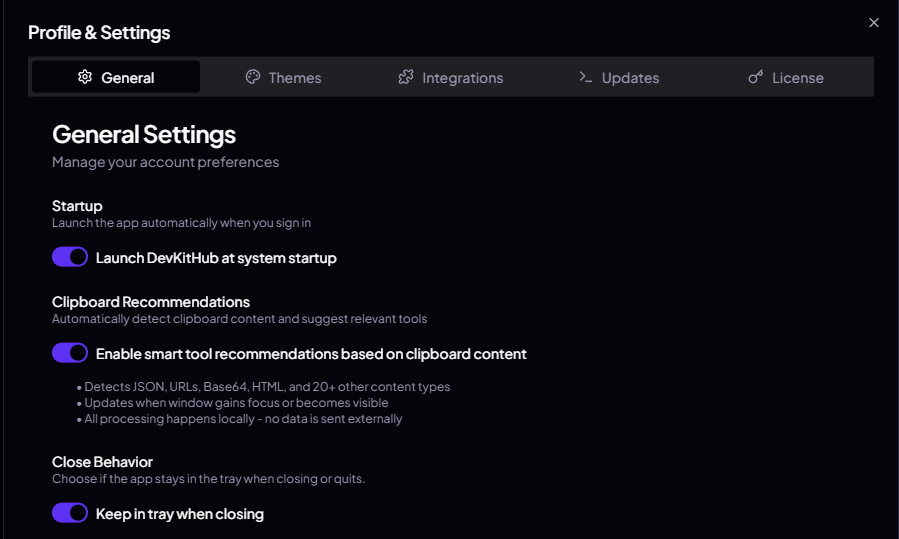
- Add auto-start configuration with the operating system
- Add support for minimizing to tray icon on close
🔧 Improvements
- Switched Prism to a better editor: CodeMirror
- Add themes for the editor and visual fixes
- Add a new beautiful font ✨
v1.4.0 (2025-09-07)
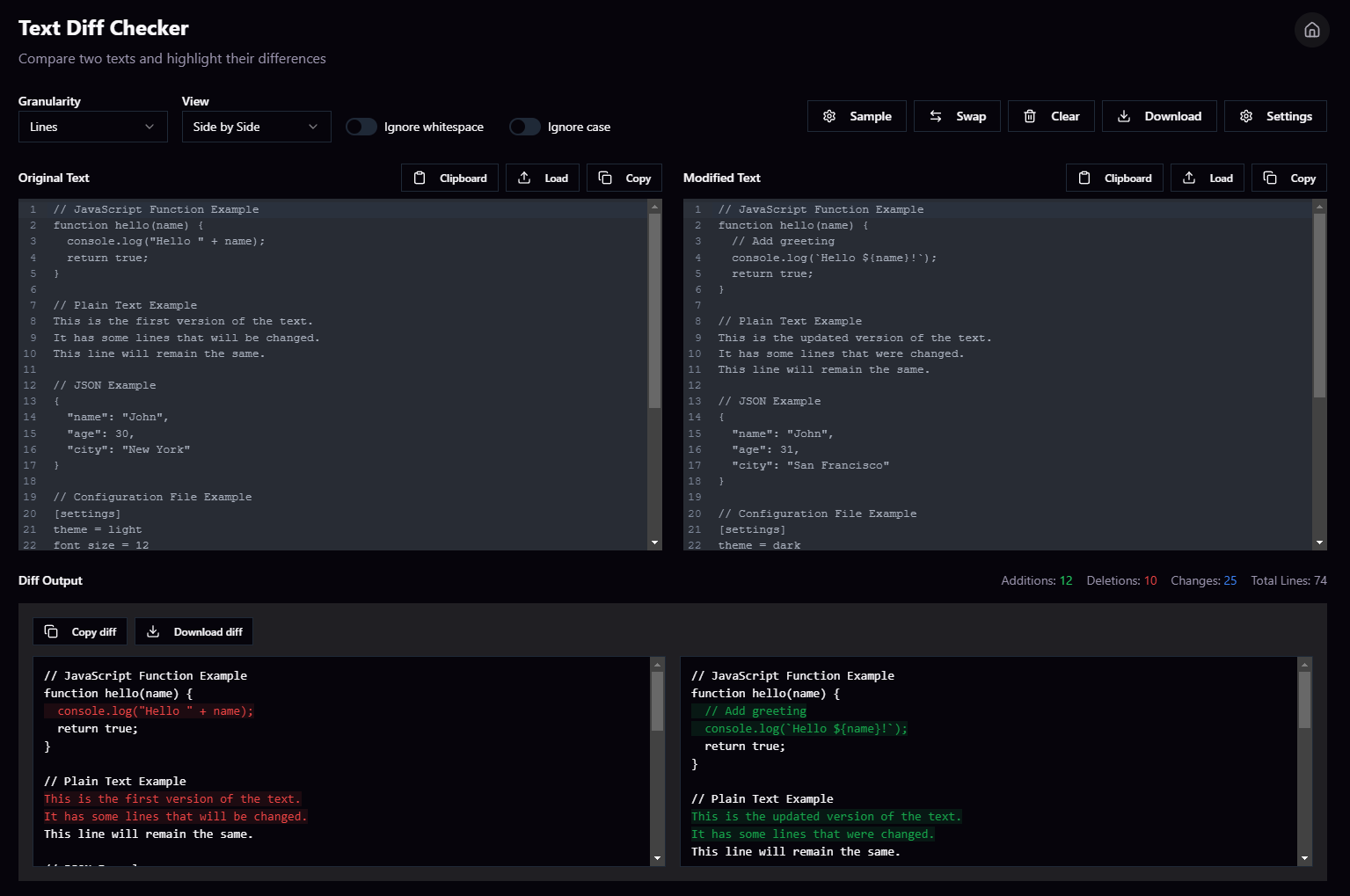
- Added new tool: Text Diff Checker
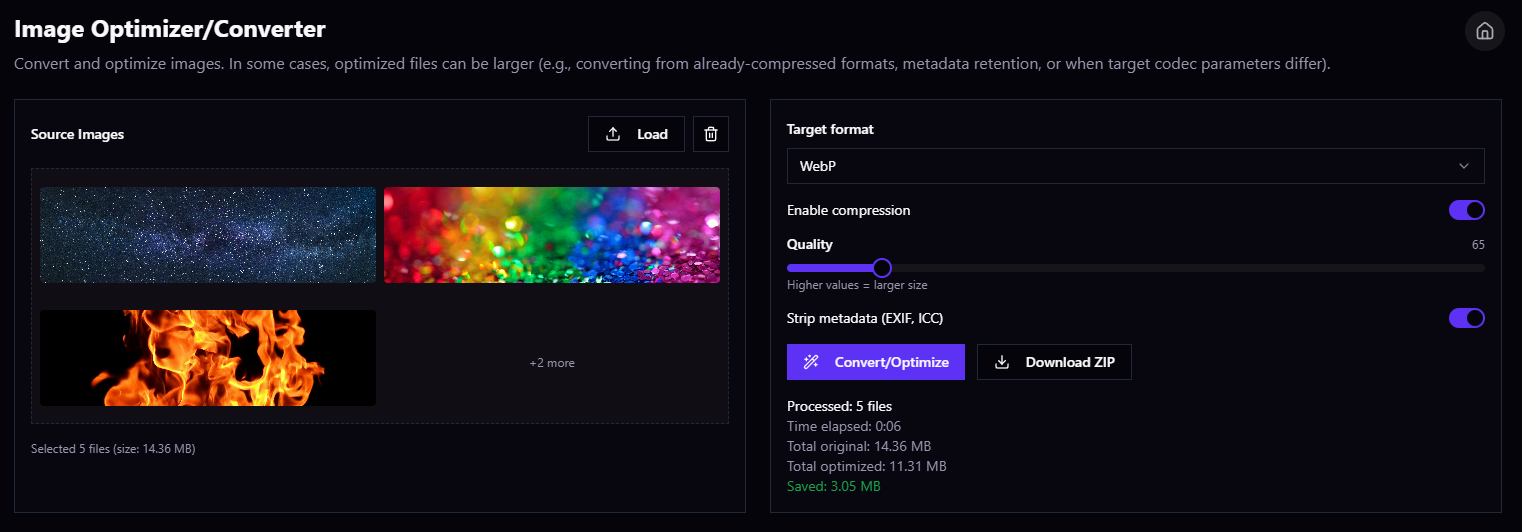
- Added new tool: Image Optimizer/Converter
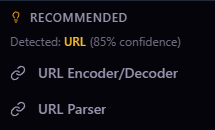
- Added new utility: Tool recommendation based on your clipboard content
v1.3.0 (2025-05-23)
🎉 New Features
Themes are here! You asked for it, and we listened :). We are proud to present the new look of DevKitHub.
- Changed the way the app looks. We now have a new default color scheme.
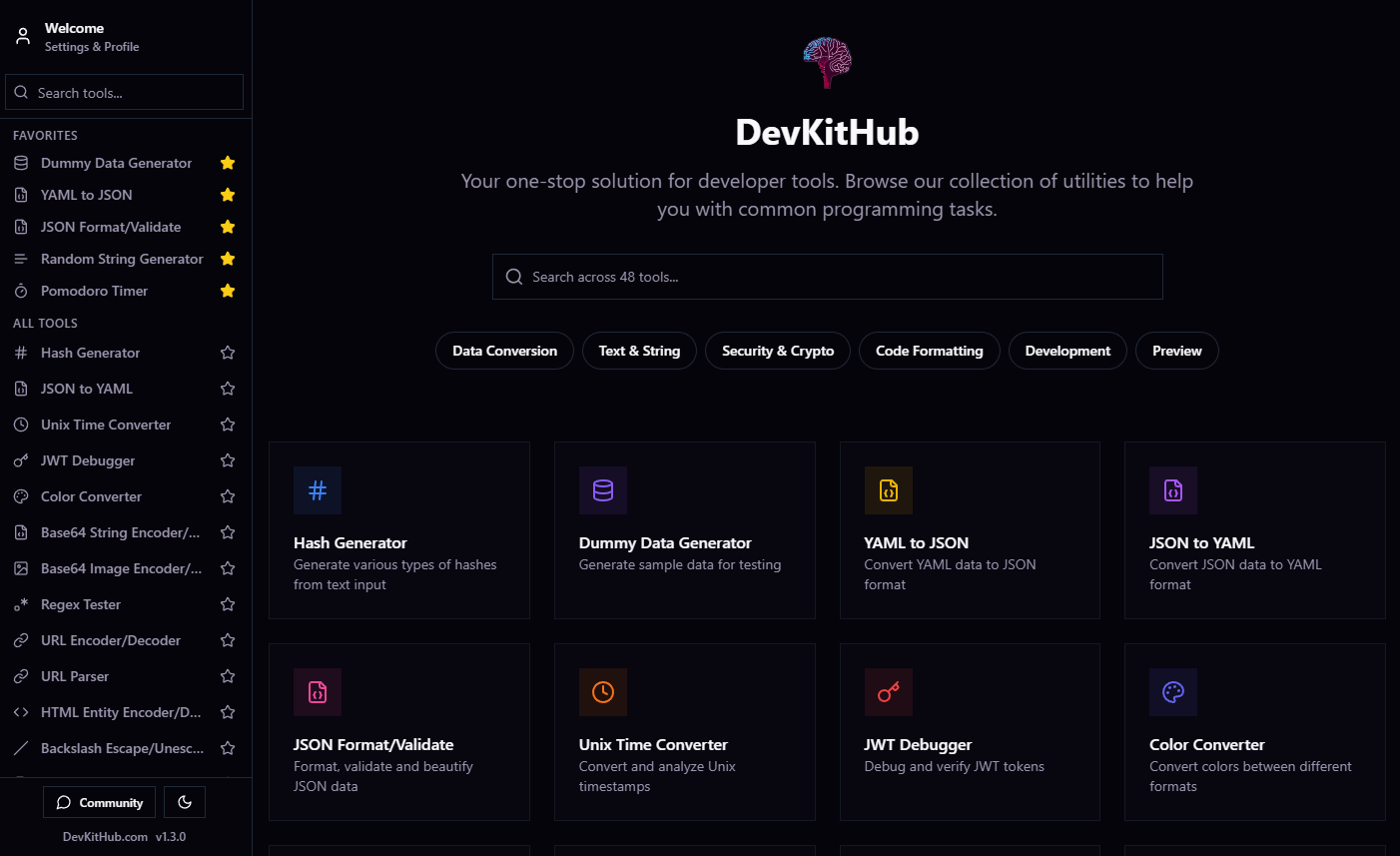
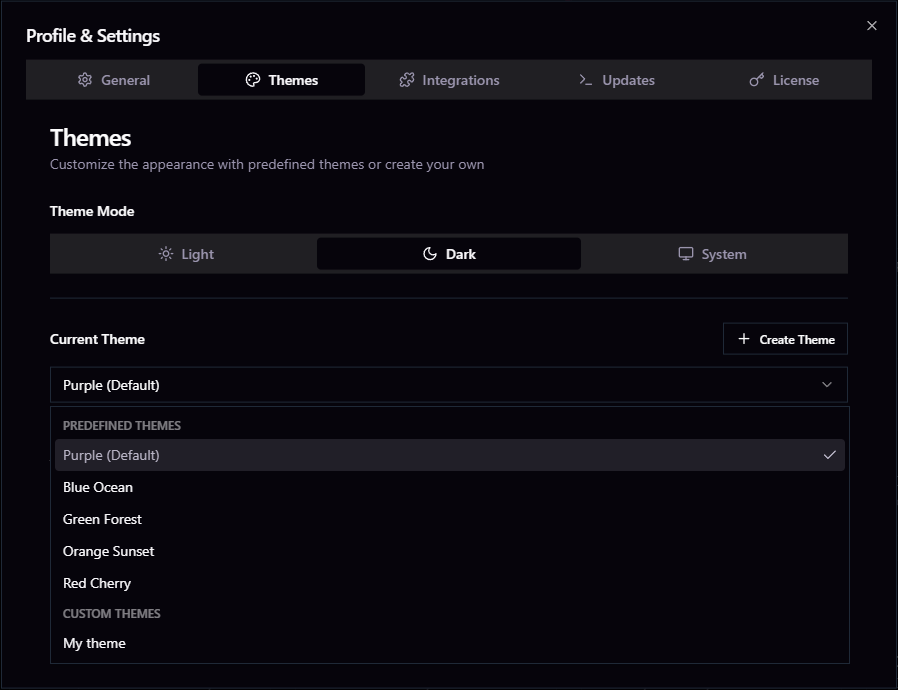
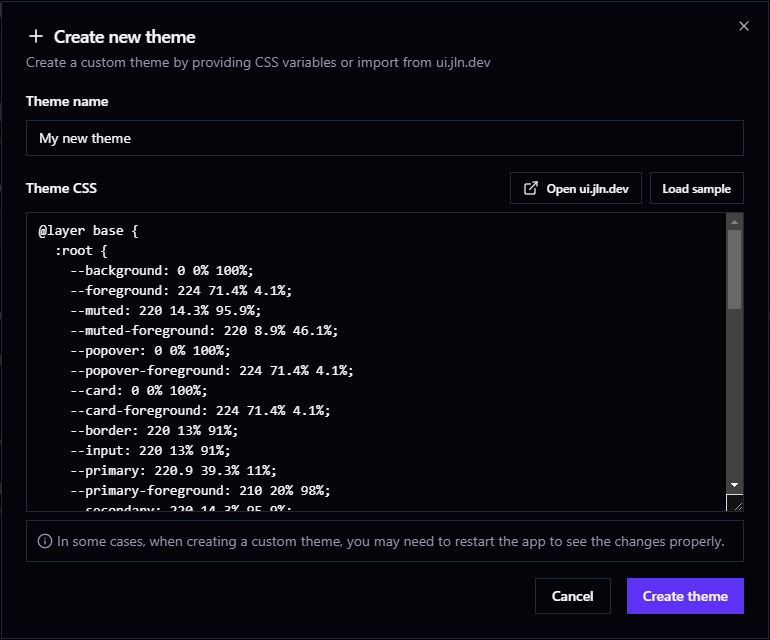
- Added 5 different themes to choose from, and all of them includes dark mode. It is also possible to create your own theme
🐛 Bug Fixes
- Improved UI colors and styles
- Fixed some issues with the update system (thanks to henrysans for catching this)
🔧 Improvements
- Added version information to the left bottom corner of the app
v1.2.0 (2025-05-22)
🎉 New Features
- Added new tool: Pomodoro Timer
- You can now add tools to favorites directly from the sidebar ↓
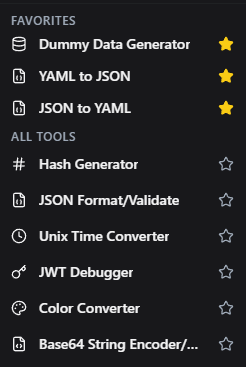
- A new notification system to notify you when a new version is available
- Added button to return to the homepage
- Homepage now displays all tools organized by category
🐛 Bug Fixes
- Fixed issue where light mode setting was not persistent
v1.1.0 (2025-05-18)
🎉 New Features
In this update, we added 8 new tools and fixed some bugs.
- Added new tool PHP to JSON converter
- Added new tool JSON to PHP converter
- Added new tool SCSS Beautify/Minify
- Added new tool LESS Beautify/Minify
- Added new tool ERB Beautify/Minify
- Added new tool Discord Timestamp Generator (Also available here in the free tools section)
- Added new tool SVG to CSS converter
- Added new tool CSS to SVG converter
- Added lang colors to Dummy Data Generator and Certificate Decorder (X.509)
🐛 Bug Fixes
- Fixed tool PHP Unserializer
- Fixed UI issues with some tools
v1.0.0 (2025-05-01)
🎉 New Features
- Initial release of DevKitHub
- Added 25 new tools
- Implemented modern, responsive UI design
🔧 Improvements
- Optimized tool search functionality
- Added dark mode support
🐛 Bug Fixes
- Fixed tool filtering system
- Resolved issues with markdown rendering
- Improved error handling in conversion tools
v0.9.0-beta (2025-04-14)
🎉 New Features
- Beta release of the platform
- Basic tool functionality implemented
- Initial set of conversion tools added
🔧 Improvements
- Performance optimizations
- UI/UX refinements
🐛 Bug Fixes
- Various minor bug fixes
- Stability improvements
- Fixed navigation issues