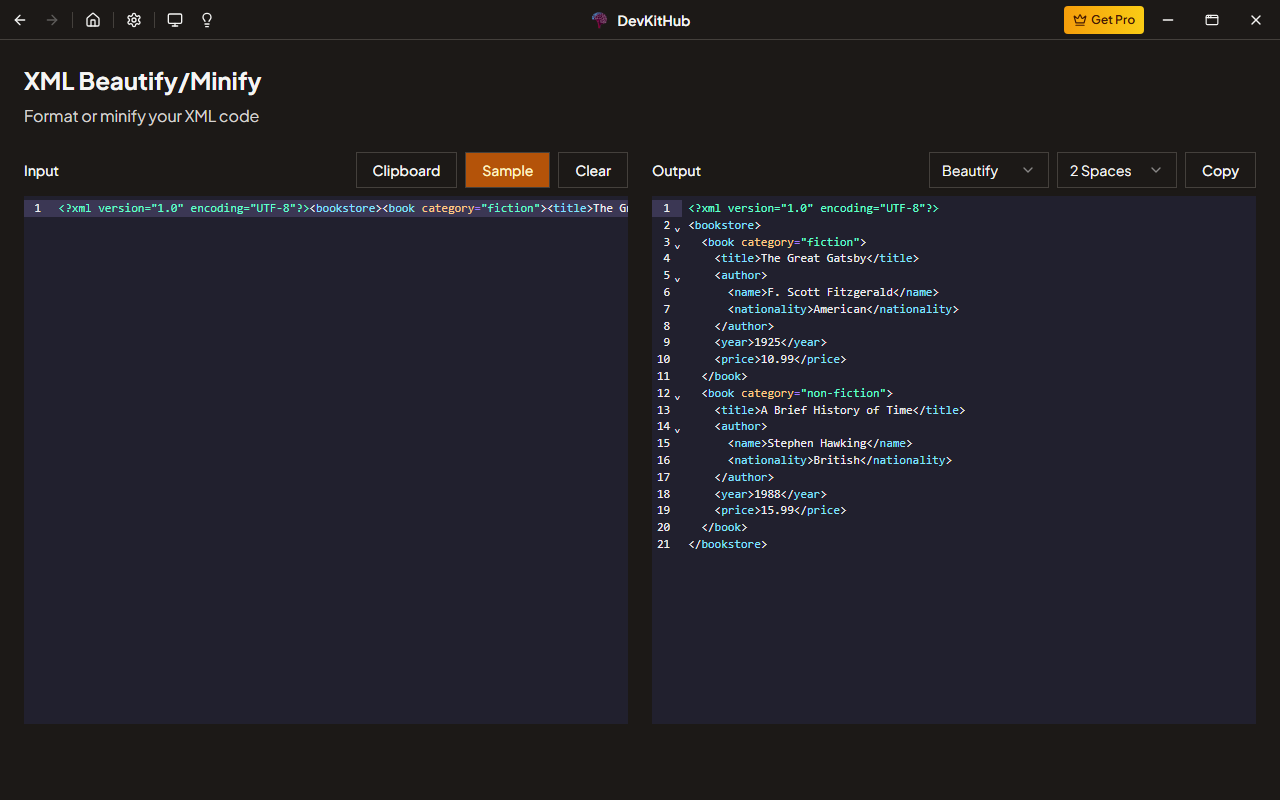
XML Beautify/Minify is a professional developer tool included in DevKitHub. Format and minify XML documents with proper indentation and tag formatting. It runs entirely on your desktop with zero tracking and no internet required.
Yes. XML Beautify/Minify is included in DevKitHub — once installed, it works offline forever with all features unlocked. No subscription needed.
Never. DevKitHub processes everything locally. Your input never leaves your machine — no servers, no telemetry, no analytics. Perfect for sensitive data.
Unlike web tools, XML Beautify/Minify in DevKitHub: works offline, never uploads data, has no ads, runs instantly, handles large inputs without timeouts, and integrates with your local workflow.
Windows 10+, macOS 12+, and Linux (Ubuntu 20.04+, Fedora 36+). Built with Electron, optimized for each platform.
Absolutely. Each team member installs locally, ensuring consistent tooling without sharing sensitive data through cloud services.
Download DevKitHub, install it, and open XML Beautify/Minify from the sidebar. Paste your XML code — it's that simple.
Yes. Standard shortcuts (Ctrl+C/V) plus tool-specific ones. DevKitHub also supports global shortcuts to open any tool instantly.
Ready to use XML Beautify/Minify?
Download DevKitHub and get access to 75+ tools. Free, private, offline.