JSON Format & Beautifier: validate, clean, and standardize JSON instantly for modern developer workflows
JSON Format & JSON Beautifier is the DevKitHub tool built for developers who live in JSON. Clean payloads, validate in real time, pretty print or minify, and ship consistent contracts without leaving the unified workspace of 50+ developer tools available in the DevKitHub Electron app for Windows, macOS and Linux. Privacy stays first: everything runs locally without internet so your data remains on your device.
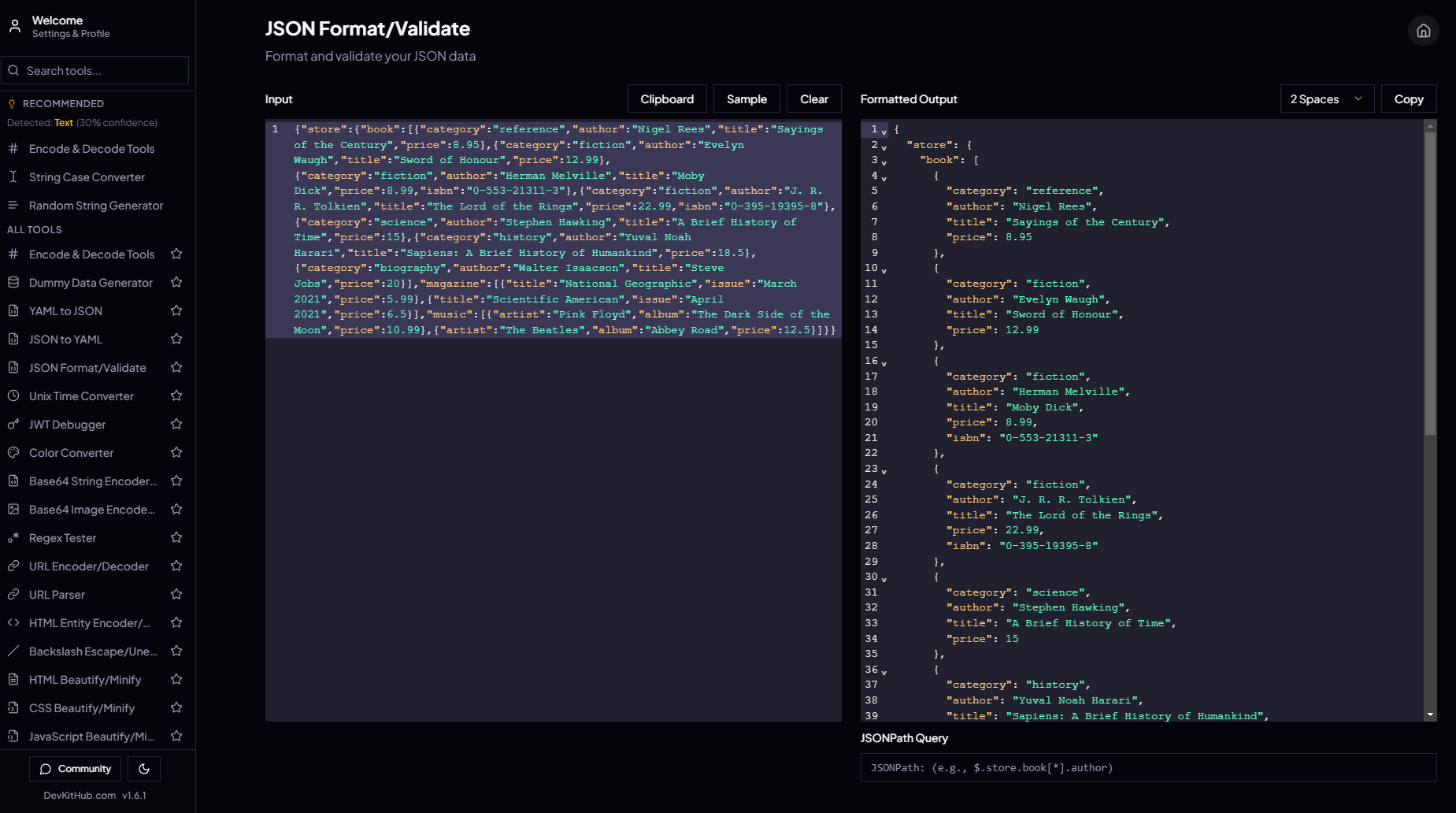
Live preview
A clean, offline-first interface with syntax highlighting, collapsible tree explorer, JSONPath quick search, and inline validation states.
What is JSON Format & Beautifier?
JSON Format & Beautifier is the long-form, SEO-optimized landing page for DevKitHub’s native JSON formatting experience. The tool ingests any JSON payload, surfaces syntax errors in real time, optionally alphabetizes keys, enforces consistent indentation, and renders a tree so you can read nested structures without losing context. Because it is part of DevKitHub, it benefits from a single consistent environment, history, snippets, and templates that accelerate API, microservice, and data pipeline delivery—all while keeping processing local-first for stronger privacy.
At its core, JSON Format & Beautifier offers a power editor: paste massive logs, work with JSONC that includes comments, visualize diffs between two payloads, run JSONPath queries to pinpoint values instantly, and export in multiple styles—pretty printed, minified, alphabetized, or in the original order. Ergonomics come first: keyboard shortcuts, dark mode, readable monospaced fonts, and dockable panels keep you focused during long debugging sessions.
For search intent, this page is written to capture queries like “online JSON formatter”, “JSON beautifier”, “validate JSON quickly”, “JSONPath query tool”, and “pretty print JSON for APIs”. The writing is developer-first and conversion-focused. Beyond beautifying, the tool includes security-aware features such as sensitive-field masking, schema validation, JSONPath queries, and safe exporting for personal debugging even when you are offline.
DevKitHub is an Electron-based application for Windows, macOS and Linux that ships with 50+ tools for building and operating software. JSON Format & Beautifier keeps you inside one offline-capable app with cloud sync when you need it, eliminating browser dependence or extra plugins.
Developers handling microservices, third-party integrations, ETL jobs, analytics pipelines, and local tooling rely on JSON as the glue. JSON Format & Beautifier saves time, prevents formatting regressions, avoids production errors, and keeps payloads consistent. It is the dependable, always-on formatter that lives where you already work.
Because DevKitHub is a desktop-first experience, the formatter benefits from native performance, keyboard handling, and secure local storage. You can run it offline on flights or low-connectivity environments, then sync history and snippets when you reconnect. This hybrid model keeps sensitive payloads local until you decide to export them.
Why use this tool inside DevKitHub?
Choosing JSON Format & Beautifier inside DevKitHub centralizes formatting, validation, and sanitization without juggling plugins or ad-hoc scripts. The experience is immediate: paste, validate, fix, and continue building. Precision is built in: the validator catches missing braces, stray commas, wrong types, and key-order conflicts while respecting privacy by keeping payloads on-device.
Typical JSON workflows shrink from minutes to seconds. Instead of opening editors, installing extensions, or running shell scripts, you open DevKitHub and start formatting. Security comes from local-first processing: if you handle sensitive payloads, keep them offline on your machine and export only when you are ready.
Consistency across services is another win. Apply a preset for indentation, key ordering, and value normalization to reduce noisy diffs in pull requests and speed up reviews. Support for JSONC, YAML import, and one-click export to minified JSON covers debugging, performance, and transport-light needs. Offline-first Electron delivery means the formatter works even when your connection is weak, and sync can catch up later if you choose.
The tool also scales with document size. Whether you are working with small payloads or multi-megabyte logs, streaming and chunking keep the UI responsive. Virtualized trees and lazy rendering avoid stalls so you can navigate deep objects without losing track. When performance matters, you can profile the cost of different formats and choose the lightest representation for production.
DevKitHub’s cross-platform footprint means the exact same formatter runs on Windows, macOS and Linux. Your presets, snippets, and history travel with you, and the UI is consistent wherever you work, avoiding the friction of environment-specific plugins or IDE-only extensions.
Key features of JSON Format & JSON Beautifier
Each capability is built to remove friction and raise the quality of the JSON you deliver across APIs, integrations, and pipelines. Explore how every module works, with offline-first focus, JSONPath queries, ergonomic controls, and privacy baked in for sensitive data—even in regulated banking environments.
Live validation
As you type or paste, the engine parses syntax and types. It flags extra commas, unbalanced braces, unexpected data types, and missing quotes. Contextual messages guide you to fix errors instantly, reducing production risk.
Pretty print & minify
Toggle between readable and compact representations with one click. Configure spaces or tabs, line breaks, and key ordering. Perfect for documentation snippets, API examples, and performance-critical payloads.
Tree explorer
Browse objects and arrays using a collapsible tree. Jump to deep nodes without losing root context. Ideal for inspecting complex API responses or event payloads in seconds.
Version diff
Paste two versions of JSON and get a visual diff highlighting additions, changes, and deletions. Speed up reviews and regression checks without leaving the app.
JSONC & YAML import
Work with JSON that contains comments, and convert YAML to JSON without losing structure. Great for manifests, configs, and infra-as-code audits.
Keyboard-first ergonomics
Shortcuts to validate, copy minified output, expand or collapse trees, find keys, and jump between sections. Dark mode, monospace fonts, and responsive panels reduce cognitive load.
JSONPath queries
Run JSONPath queries to locate values fast, filter large payloads, and answer debugging questions without scrolling endlessly.
Performance at scale
Streaming, chunking, and tree virtualization keep the UI smooth even with multi-megabyte JSON. Avoid freezes and stay productive during deep investigations.
How it works in DevKitHub
- Open the DevKitHub Electron app on Windows, macOS, Linux and launch JSON Format & Beautifier from the tool grid or quick search.
- Paste or drag your JSON. The editor validates in real time and shows precise error messages with line and path context while keeping all data local.
- Use the tree explorer to understand structure; rely on key search and JSONPath queries to jump to deep fields without scrolling endlessly, knowing nothing leaves your machine.
Use cases that benefit immediately
JSON Format & Beautifier adapts to multiple roles and scenarios. Below are concrete examples of how it delivers value for professional workflows, indie makers, and real-world incidents—plus how JSONPath queries speed up every case.
Professional API workflows
In companies with dozens of services, JSON Format & Beautifier enforces API contract consistency. Format templates reduce friction across languages and frameworks. Backend, frontend, QA, and product teams review payloads using the same preset, shrinking noisy diffs and shortening review cycles while keeping sensitive payloads private and offline.
Indie hackers and solo builders
Solo creators get a frictionless experience without installing extensions. Validate third-party API responses, clean data before feeding dashboards, and share polished examples with clients while keeping sensitive fields masked and never transmitted.
Real-world debugging scenarios
Debug a failing webhook, inspect a GraphQL response, convert a Kubernetes manifest from YAML, prep payloads for load testing, or clean production logs before sending them to analytics. The same interface covers all these cases without context switching and without sending data to the internet.
These scenarios are powered by DevKitHub’s native capabilities: offline-first storage, instant search, and unified access control. JSON Format & Beautifier becomes a trusted step in every pipeline where JSON is the source of truth. JSONPath queries help you pinpoint problematic fields or verify critical values instantly, a must for banking, fintech, and other privacy-sensitive teams.
Who is JSON Format & Beautifier for?
Backend engineers needing clean contracts, frontend engineers consuming APIs, QA teams asserting payloads in automation suites, DevOps managing manifests, data engineers moving pipelines, product teams sharing readable examples, and tech leads standardizing practices. The tool removes ambiguity and accelerates delivery for everyone who touches JSON daily, including teams in regulated industries like banking that require strict privacy controls.
It also serves educators and onboarding programs: keep curated examples, demonstrate best practices, and let new hires explore real payloads safely.
Comparison with alternatives
There are isolated beautifiers, editor extensions, and local scripts. JSON Format & Beautifier stands out by living inside DevKitHub’s Electron app and integrating with 50+ tools. No plugins needed, works offline, and handles large documents smoothly. Unlike generic utilities, it offers tree exploration, version diff, and seamless handoff to other DevKitHub modules. Compared to local scripts, it reduces human error, preserves audit trails, and keeps teams aligned while honoring privacy requirements.
Traditional browser-only formatters often struggle with very large payloads or lack enterprise controls. IDE extensions depend on individual setups and rarely share presets across teams. JSON Format & Beautifier solves both problems by being environment-agnostic, role-aware, and connected to the wider DevKitHub suite where governance and observability are first-class.
Frequently asked questions
Do I need to install anything to use JSON Format & Beautifier?
No. It ships inside the DevKitHub Electron app for Windows, macOS and Linux. Open the app and paste your JSON.
Does it support JSON with comments (JSONC)?
Yes. The tool reads JSONC, cleans comments when you need strict JSON, and keeps them when you are working on configs or docs.
Is it private enough for banks or regulated teams?
Yes. All formatting, validation, and JSONPath queries run locally without internet, so banking, fintech, healthcare, and government teams can inspect payloads without data leaving their devices.
How does it protect sensitive data?
The app runs offline-first on your machine. Keep sensitive payloads local, format and validate without internet, and export only when you decide to share.
Are there keyboard shortcuts?
Plenty. Validate, copy minified output, expand or collapse the tree, search keys, and switch presets without touching the mouse.
What about very large JSON files?
The editor uses virtualization, streaming, and chunking to stay responsive even with large payloads. You can inspect deep nodes without freezes.
Is there a dark mode?
JSON Format & Beautifier includes a comfortable dark theme for long debugging sessions and reduced eye strain.
Does it include JSONPath queries?
Yes. Run JSONPath expressions to extract, filter, and validate values quickly without scrolling through large payloads.
Can I use it completely offline?
Yes. DevKitHub’s Electron app is offline-first. Formatting, validation, and JSONPath queries work without connectivity; sync is optional.
Can I export the formatted result?
You can copy to clipboard or save to file locally. Keep everything on your device unless you choose to share.
Does it handle YAML too?
Yes. Drop YAML and convert it to JSON instantly while preserving structure, then format or query with JSONPath.
Can I reorder keys alphabetically?
Yes. Toggle alphabetical order or preserve the original sequence depending on your preset. Use it to stabilize diffs when needed.
Start with JSON Format & Beautifier in DevKitHub
Join thousands of developers who already format, validate, and share JSON in seconds. Tap into 50+ integrated tools, secure flows, offline-first Electron delivery, and instant performance on Windows, macOS and Linux—all with privacy first for teams that cannot risk data leaving their network.
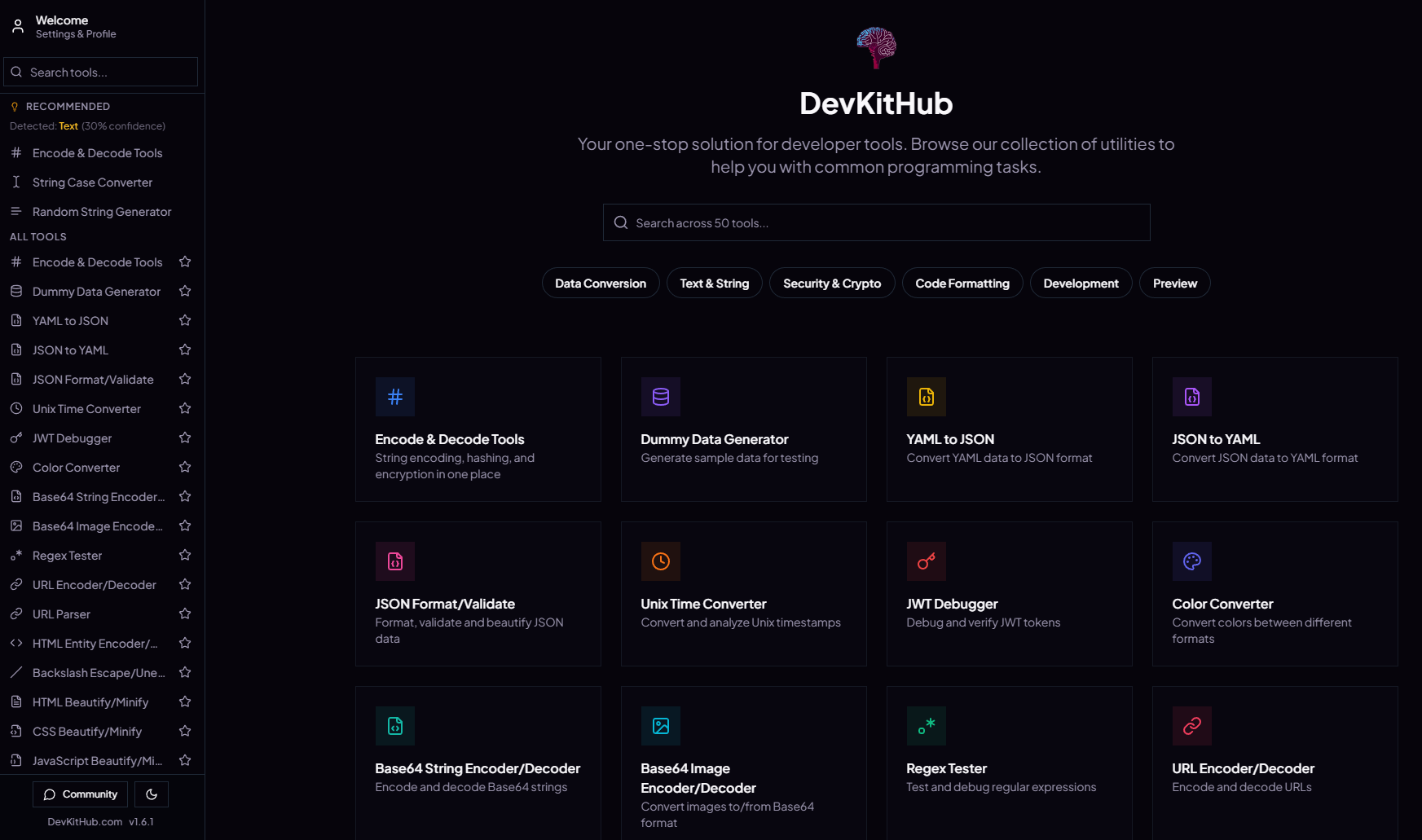
DevKitHub is the Electron-native developer workstation with suites for APIs, QA, DevOps, frontend, and data. JSON Format & Beautifier is your always-on formatter with secure collaboration built in.